AWS vs. Azure: Reliable and Quick Comparison

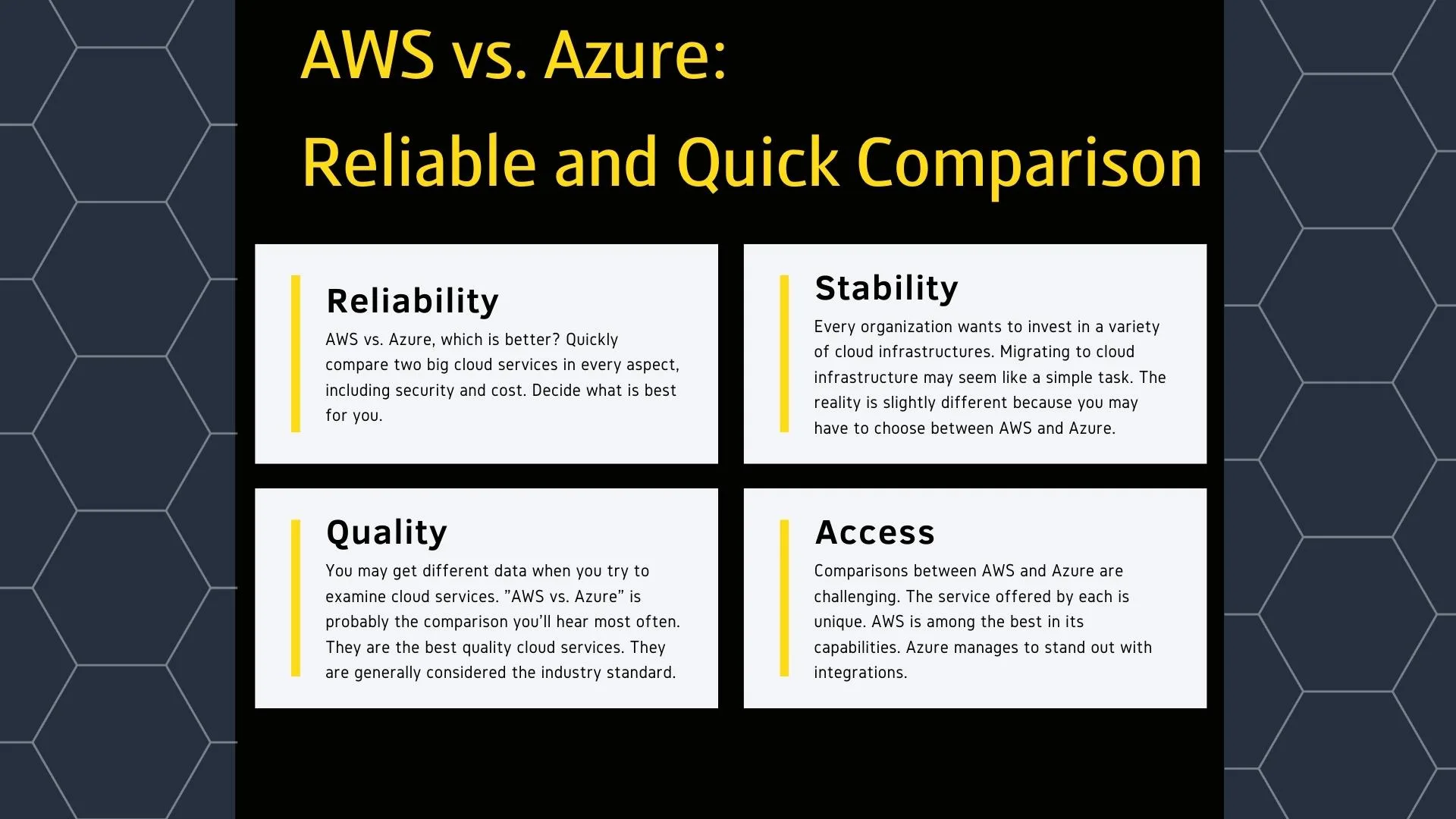
AWS vs. Azure, which is better? Quickly compare two big cloud services in every aspect, including security and cost. Decide what is best for you.

Every organization wants to invest in a variety of cloud infrastructures. Migrating to cloud infrastructure may seem like a simple task. The reality is slightly different because you may have to choose between AWS and Azure.

You may get different data when you try to examine cloud services. “AWS vs. Azure” is probably the comparison you’ll hear most often. They are the best quality cloud services. They are generally considered the industry standard.

Which is better, AWS or Azure?

Comparisons between AWS and Azure are challenging. The service offered by each is unique. AWS is among the best in its capabilities. Azure manages to stand out with integrations.

What is AWS?

AWS is a cloud service owned by Amazon and the leading cloud computing brand. Since it has more than 150 services, it can offer various opportunities to its customers. There is diversity in terms of database, CDN, and storage.

AWS makes the data collection process as easy as possible. Thanks to features such as AWS Lambda, it extends the range of interaction as much as possible. It helps organizations grow by increasing their productivity.

What is Azure?

Azure is a cloud service owned by Microsoft. The solutions it offers are integration-oriented. Computing in a virtual environment makes storage and data analysis as easy as possible. Flexibility is the most important aspect compared to its competitors.

Azure best supports integrations and development over time. To benefit from the services, you only use the services you need from the very beginning, and you do not have to pay for more.
aws azure
aws azure

What are the differences between AWS and Azure?

AWS and Azure are in constant competition. They accelerate the sector by constantly developing in the field of information technologies. 40% market share is controlled by AWS. Azure holds a 29% market share.

Security

One of the most critical aspects of the cloud platform is that security is at the forefront. Since security is a strict criterion, they want to advance in high compatibility with AWS and Azure security protocols.

  • AWS: It is one of the oldest cloud platforms. It has had to deal with more problems than its rivals. For this reason, it has effective methods such as data loss protection and activity monitoring.
  • Azure: It has a centralized security structure. It is a place where you can make any authorization. You can control security measures at every stage, from information processing to auditing and management.

Cost

The structure of both platforms proceeds in the form of on-demand pricing. The cost you have to pay varies depending on server selection, resource usage, usage time, and many more factors.

  • AWS: Management requires third-party applications. Pricing is very complex. You can include on-demand solutions or consider taking advantage of basic pricing models.
  • Azure: Pricing is determined by usage. You act with a pay-as-you-go approach. You will generally encounter various discounts, which are advantageous to use.

Development Tools

Platforms create new tools to improve themselves a little more. They try to offer artificial intelligence solutions in addition to serverless platforms. Each has its own advantages and disadvantages.

  • AWS: The use of AI and ML is at the forefront. It has a structure that leads to digital transformation. There are AWS Fargate and Lambda tools that are entirely serverless. This simplifies the deployment of cloud applications.
  • Azure: If you use Microsoft software, you will gain an integration advantage. You can take advantage of Azure Bot Service and Azure DevOps support to make management a little easier.

Networking

Platforms have several interconnected data centers. Thanks to these data centers, they can manage the cloud infrastructure spread around the world. By emphasizing high security, they offer users extra usability.

  • AWS: Offers its users a virtual private cloud. There is an infrastructure covering over 70 regions. Services are reliable. It provides fast response as well as supports rapid distribution of data.
  • Azure: Offers a virtual network over cloud network locations. It can cover over 60 regions. It usually tries to keep the traffic in its own network. It has the potential to provide reliable, flexible, and fast service.

Database

There can be tons of different data in the database. There must be no problem accessing the data. Platforms manage to manage this at a high level. A database suitable for all kinds of data management can be found.

  • AWS: Focuses on long-lasting database solutions. Compatible with Amazon Aurora, MariaDB, Oracle, MySQL, and PostgreSQL. Provides Elastic Cache support. The use of NoSQL is possible with DynamoDB.
  • Azure: Compatible with Azure SQL, MySQL, and PostgreSQL in database solutions. It uses Redis Cache for the cache. Allows the use of NoSQL to be implemented through Cosmos.

Computing Power

Computing power is one of the core elements of cloud infrastructure. You have to choose the correct configuration. These platforms offer acceptable performance for the services your employees have to use.

  • AWS: There are premium services such as Amazon E2C, AWS Lamda, and Elastic Beanstalk. Using them is highly flexible. You can quickly scale by monitoring your cloud applications.
  • Azure: In terms of computing power, Azure offers the best solutions. Virtual machines and application functionality are flawless. You can choose from various templates and act according to your preference.

Content Delivery Network

A content delivery network is ideal for quickly delivering content to users. You increase the speed by presenting the content to the user from the nearest local area. CDN services of both platforms are seen as high quality.

  • AWS: Provides seamless content delivery network usage. You can get simple storage solutions by integrating with CloudFront. The price is affordable, and it can appeal to everyone.
  • Azure: There is a content delivery network that provides real-time data to users and has advanced security measures. Being extra scalable to manage high loads is a significant advantage.

Storage

Expanded storage options can please anyone. It is your biggest supporter when you start using cloud systems. Platforms offer enough storage options to satisfy users.

  • AWS: A large storage solution called S3 sets industry standards. It quickly offers the necessary storage. It has the feature of disappearing automatically when the storage ends.
  • Azure: It offers ideal options to solve the data storage problem of users. The file system is configured to successfully manage temporary data, and the storage problem is eliminated.

You should not decide on the “AWS vs. Azure” benchmark without fully understanding the services offered by AWS and Azure. You should consider the pros and cons and choose based on your needs.


A cloud strategy helps you develop effective policies to take advantage of all cloud services. Learn how to create a successful cloud strategy.
7 Steps to create a successful cloud strategy


7 Steps to create a successful cloud strategy

A cloud strategy helps you develop effective policies to take advantage of all cloud services. Learn how to create a successful cloud strategy.


As a result of the rapid growth of cloud technology, every company has to develop a cloud strategy. With a cloud strategy, investments are likely to succeed. Companies want to avoid taking this risk.

Creating a cloud strategy is to better steer your company’s policies. Within the scope of information technologies, you should define all the services the cloud service provider offers and benefit from them.

What lies behind a successful cloud strategy?

To create a successful cloud strategy, you should choose a dynamic approach. You should optimize processes, including speed and durability. Also, you should improve your cloud systems usage skills and close your talent gap.

1. Try to manage hybrid environments

In cloud technologies, it may be necessary to resort to hybrid approaches. You use hybrid systems when you want to collect more than one cloud service at the same point. You should leverage the power of hybrid systems in your cloud strategy.

Hybrid structures enable to overcome many different problems such as management and security. You can take more critical steps instead of dealing with multiple management standards. You can manage to use the full functionality of cloud technology.

2. Understand all potential scenarios

One of the most critical steps in cloud strategy is to decide on the right technology. The proper framework must be selected to create a decision mechanism. The framework is one of the most basic requirements of strategy development.

You should consider all the applications included in the company’s current technologies. Consider the integration with other systems and assess the challenges. Every organization should have its own cloud strategy.

3. Create the optimal road-map

Consider prioritizing corporateness while creating a cloud strategy. You should not forget that your goal is to reach the optimum strategy. You should consider all the company’s requirements, opting for a pragmatic approach.

Your approaches should be dynamic when creating a road-map. You may encounter different scenarios at any time. You have to consider all processes and technologies. Making a cloud strategy effective takes time.

How to create a successful cloud strategy?

The fact that more organizations have migrated to cloud systems has made it necessary to create a cloud strategy. You need to have the proper road-map in front of you to develop the appropriate plan.

cloud strategy
7 Steps to create a successful cloud strategy
1. Set objectives for your business

As a first step, you should set specific goals for your business. It’s a good idea to stick to SMART criteria. The strategy suitable for cloud technologies must be specific, measurable, acceptable, and realistic.

You should consider your IT architecture when creating a pattern for your strategy. Also, consider all the cloud possibilities you have. You should analyze all the data available to realize what your company can and cannot achieve.

2. Learn the current context

During your analysis of cloud technology, you should always take advantage of the current context. Once you’ve clarified the context, you can best analyze the business’s direction and active strategies to define the strategy correctly.

At this stage of the process, SWOT analysis and value chain analysis are very useful. When deciding to use cloud technologies, you must go over your business’s needs. SWOT analysis and value chain analysis make this possible.

3. Examine information technology architecture

You should make a technical analysis of information technologies in the direction you will use them. In line with the technical concern, you can create more accurate plans by determining whether the existing architecture will meet your needs.

You need to consider the IT architecture to avoid having huge problems. Existing concerns need to reflect reality holistically. Also, you should clearly understand IT architecture before completing the cloud strategy.

4. Specify the current situation

The primary motivation for assessing the current situation is to have an idea of the cloud architecture. There are different aspects to cloud strategy, commercial and technological. You should know the possible effects and consequences of each stage.

If you want to use cloud technology, try to make a specific plan and stick to it. You must make the best of the current situation before making the plan. Then you can start your gap analysis without any problems.

5. Identify the gaps with proper analysis

It is always a good option to detect and analyze gaps with the correct methods. You may find that you can implement your strategy efficiently. In this way, you can clarify all the steps to be taken.

Cloud strategies may require ongoing additional investment. If you want to avoid encountering a problem like this, you must identify strategic gaps well. Then you can start making various assessments for compatibility.

6. Make a risk assessment

Whatever plan you put in place for the cloud strategy, you need to take critical steps to be successful. Risk assessment allows you to identify potential problems. Then you can develop appropriate strategies.

Before creating any cloud strategy, potential risks must be identified. You will reduce your margin of error as much as possible. You can learn from your past experiences and use them as a ladder in your new plan.

7. Execute the implementation plan

The implementation plan allows you to strictly follow the road-map. You take predictable steps, no matter what kind of outcome emerges. It keeps the whole plan going even if you switch between different systems.

You can give priority to whichever direction your main activities are predominant. You have to consider the costs of the projects. You should take all the steps to ensure your company is independent of the outside. This solidifies the foundation of the cloud strategy.

After you create a cloud strategy, you develop your approach to using cloud technology. You can expand your strategy on favorable terms. You can get a clearer vision by prioritizing specific standards if you wish.


Do you know what are the most critical cloud security challenges? Learn them and fight the cloud security challenges in the right ways.
10 important cloud security challenges

10 important cloud security challenges

Do you know what are the most critical cloud security challenges? Learn them and fight the cloud security challenges in the right ways.

All cloud solutions, including cloud hosting, are vulnerable to security threats. Many users face cloud security challenges differently from each other. Safety training is required to overcome some problems.

Security breaches aren’t just about what you see on the news. You can face them when you least expect it. It will help if you learn how to fight the most severe cloud security challenges.

What are the most important cloud security challenges?

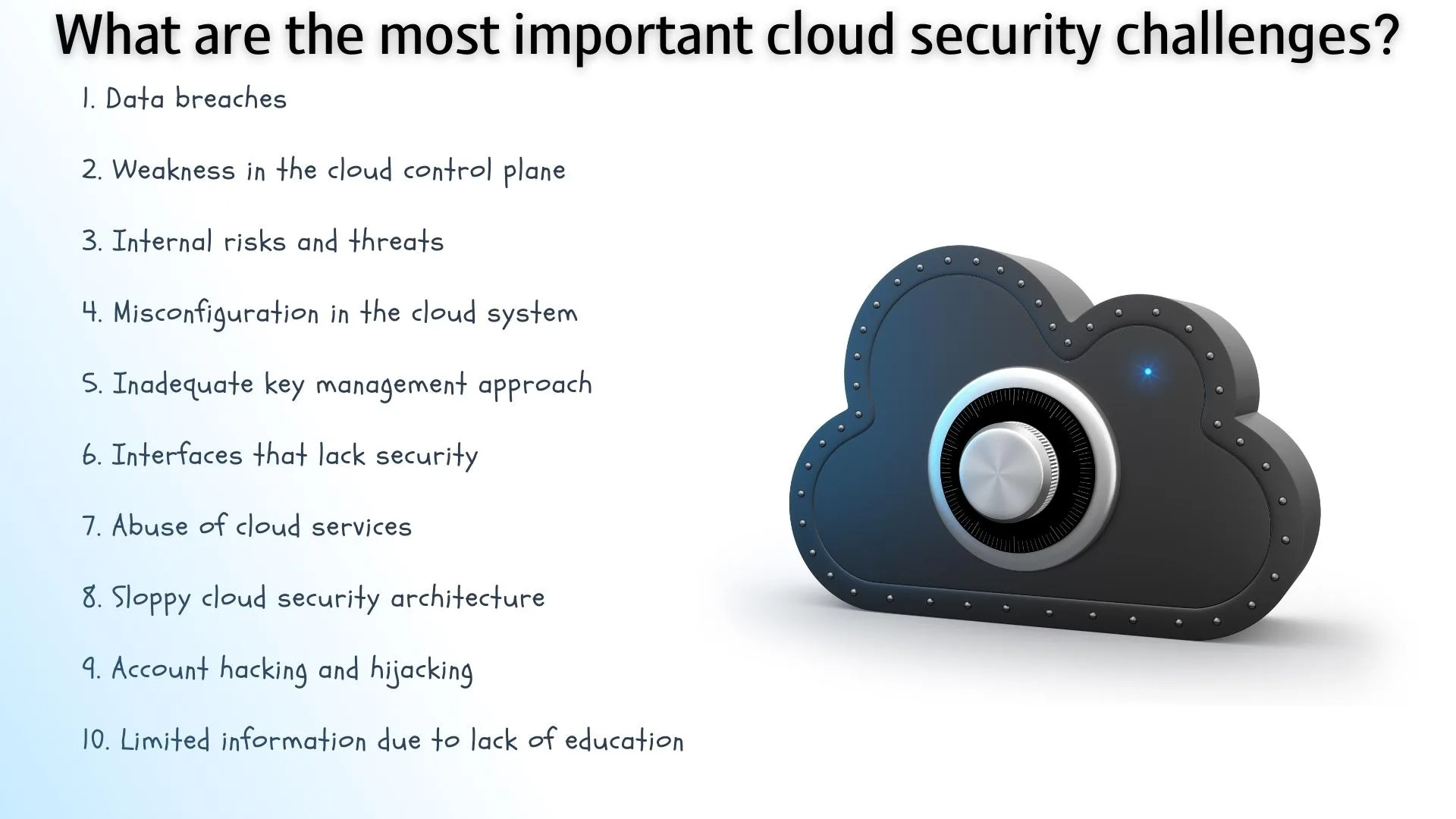
Anyone using cloud systems is likely to encounter security issues. Among the cloud security challenges, the most important is known as data breaches. But you should examine everything in detail.

What are the most important cloud security challenges

1. Data breaches

Data breaches occur when unauthorized access is provided to someone for data in cloud systems. It is a severe security problem for the cloud, as it is among the most widespread cyber attacks.

The data that is wanted to be stolen from the systems are personal data such as credit card numbers and the person’s health history. It is a big problem as the system’s and users’ security is compromised when the system is infiltrated.

2. Weakness in the cloud control plane

The cloud control plane is a system that controls management and editing facilities. All basic settings and privileges are set here. Also, the rules for application operations are created there.

If the cloud control plane is poorly protected, cyber-attackers want to use it. Risks should never be ignored. Attackers can detect potential weaknesses by running various scans.

3. Internal risks and threats

Internal risks and threats in cloud systems are related to employees. When you give employees permissions they shouldn’t have, they can access every part of the system. Unnecessary permissions are security threats, even if you trust them very much.

The person who wants to make a cyber attack can directly target any employee, not the system. After capturing the employee’s information, he/she can log into the system without anyone noticing and collect all the information he/she wants.

4. Misconfiguration in the cloud system

One of the biggest problems in cloud security challenges is misconfiguration. Suppose you need to gain the necessary knowledge to manage the system. In that case, you may likely create security vulnerabilities.

All configurations in cloud systems should be made by experts. To increase the level of security, configurations that are compatible with the tests must be carried out by a conscious person against cyber risks.

5. Inadequate key management approach

Key management is one of the indispensable requirements in the company’s structure. It covers standards such as giving the proper permissions to the right people. It’s about enabling safe access to all tools.

The right security approach must be followed in automation, credentials, access information, and much more. Everyone should use passwords that comply with security standards. In particular, two-step verification must be enabled.

6. Interfaces that lack security

Many influential factors exist in cloud systems, including interfaces and API tuning. All safety precautions must be taken for them. If security measures are insufficient, a significant security problem arises.

In terms of cloud security challenges, you should make the security of your system close to perfect. To protect your company’s and your users’ data, you should not use weak interfaces and APIs.

7. Abuse of cloud services

When you do not equip your cloud system with security measures, all services offered over the cloud can become problematic. You may encounter phishing, click fraud, brute-force attacks, and more.

The most common problems included in cloud security challenges are phishing and brute-force attacks. Even though many cloud service providers take precautions in this regard, you should refrain from settling for the defaults and take additional precautions.

8. Sloppy cloud security architecture

Suppose you can leverage several different solutions, such as cloud hosting. In that case, you should create the most appropriate strategy for your company. Protecting your customers’ data and your company’s reputation must be among your priorities.

The security architecture you create should match your goals. You need to constantly check your system. You must respond to any traces of threats. This is how you can tackle cloud security challenges.

9. Account hacking and hijacking

Even if there are different advanced threats to cloud systems, account hacking and hijacking are essential. The reason for this account security can be easily overlooked.

If sensitive information belonging to your employees is captured, access to your system can be achieved much more quickly. It’s not just passwords that are compromised. Attackers can do more by changing codes in the system.

10. Limited information due to lack of education

Security measures are not limited to just applying and creating them. All persons working in the company and trying to use the cloud system must have undergone security training and acquired basic knowledge.

If company employees don’t have enough security knowledge, they will be in a difficult situation facing all cloud security challenges. Everyone who uses the system should be taught what steps to take for safety.

The most crucial cloud security challenges are not limited to these. It is only necessary to pay more attention to these than to others. In addition, additional efforts should be made to comply with legal regulations.

Will More RAM Make Your Computer Faster?

Will More RAM Make Your Computer Faster? Adding RAM to your PC is a great way to improve your system’s speed and performance. The process is straightforward and affordable. It can help you solve a number of problems, including slow startup times and memory overload.

A fast PC can make your computer more responsive and enjoyable to use. Adding more RAM can also help prevent system overload from pop-ups, and can improve print quality. Adding RAM also improves speed when working with multiple programs at once.

While there is no one size fits all, the best way to determine the right amount of RAM to buy is to consider your needs. For example, if you only have a few gigs of RAM, you may be able to install more without affecting performance. But if your PC frequently runs out of RAM or is slow to start, you may want to upgrade to a more powerful memory system.

The best way to determine how much RAM you need is to look at your current PC’s specifications. For example, a computer with a 2.4 GB RAM standard capacity may need at least 4GB to keep up with the latest technology. On the other hand, a laptop with memory expansion slots can be fitted with 16GB of RAM.

The most obvious benefit of more RAM is that it can allow the PC to run more applications at once. Moreover, it can speed up your startup time and reduce the number of times your computer reboots. Adding more RAM also helps to prevent memory swapping, which can slow down your PC.

pc ram
pc ram

The biggest drawback of adding more RAM to your PC is that it is not guaranteed to improve performance. In fact, if you have an old PC, it may not even be able to run the latest applications. Also, you may not be able to use RAM in the same way you once did, especially if your PC is older. If you are considering a memory upgrade, talk to a professional to make sure your system is up to speed.

The other notable RAM trick is using more than one of your existing memory slots. For example, adding two modules will make your system run faster. However, this trick will only be as effective if you are using a compatible motherboard. If you have a computer that runs on the latest Intel or AMD processor, you may be able to run multiple programs at once without running into the same problems.

will more ram make your computer faster
Will More RAM Make Your Computer Faster?

The newest version of Windows may also have a slight impact on the speed of your PC, but it isn’t a panacea. The best way to improve speed is to install a solid state drive (SSD). A RAM upgrade will not be able to make your computer run as quickly as a new SSD, but a RAM upgrade can definitely make your PC run better.

The most important part of adding more RAM is to make sure it is compatible with your motherboard. Adding too much RAM may actually slow down your PC. This is because the RAM is designed to work best when paired with a compatible motherboard.

6 important disadvantages of cloud computing

What are the disadvantages of cloud computing? Before you turn to cloud solutions, discover all the risks, advantages, and weaknesses.

Suppose you are going to provide digital services in any way. In that case, you need an IT solution that will provide you with the necessary resources. While cloud computing seems like an ideal choice for cost reduction and less computing, it has certain disadvantages.

Before making a decision, you need to learn about the disadvantages of cloud computing. There are different infrastructures in information technologies. Each infrastructure has other qualities. So, are the qualities of cloud computing right for you?

What are the disadvantages of cloud computing?

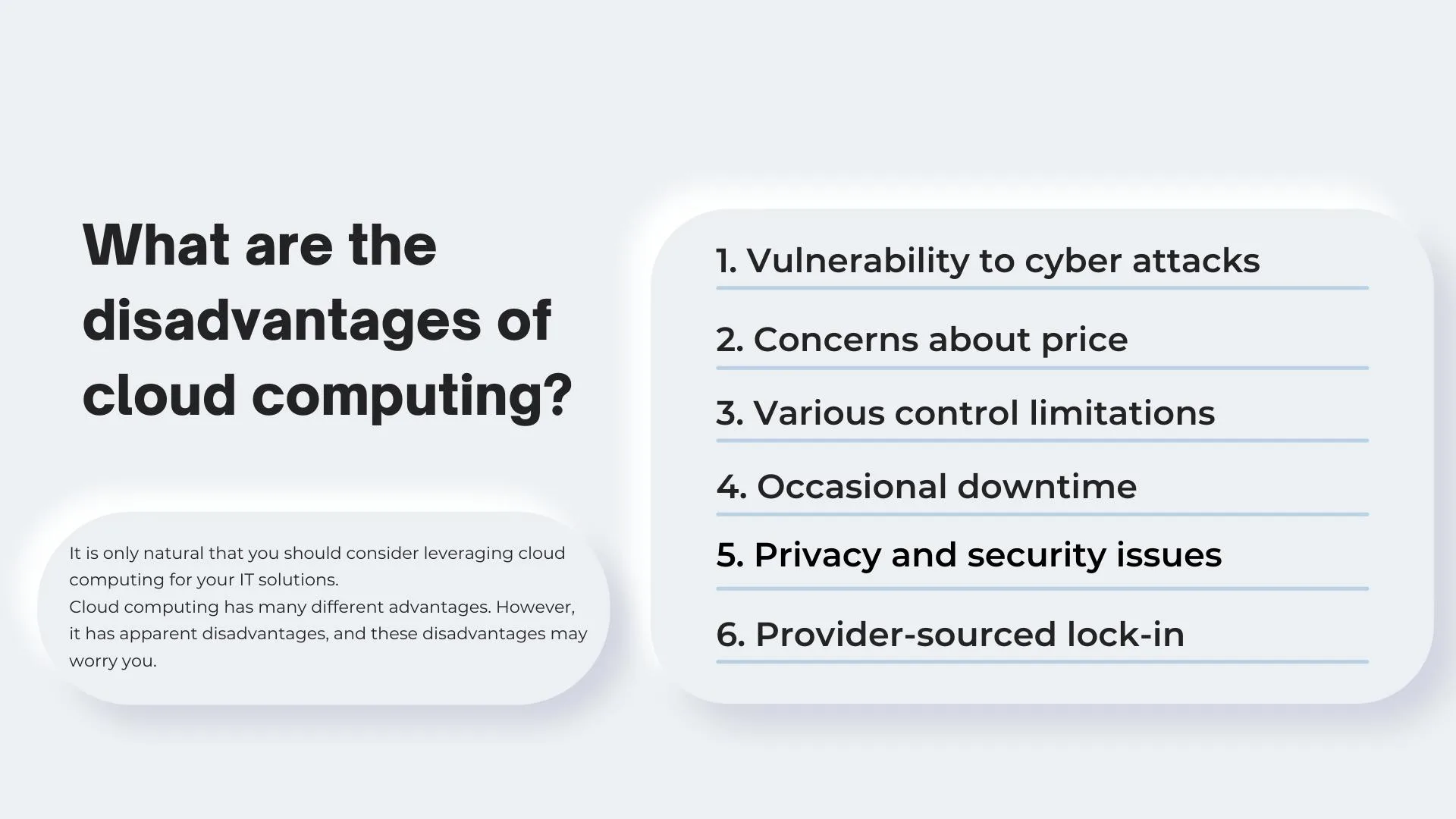
It is only natural that you should consider leveraging cloud computing for your IT solutions. Cloud computing has many different advantages. However, it has apparent disadvantages, and these disadvantages may worry you.

What are the disadvantages of cloud computing

1. Vulnerability to cyber attacks

The most notable disadvantage of cloud computing is the association with security vulnerabilities. Since everything is stored online in cloud computing, it is inevitable to experience security breaches. Stepping into cloud computing is easy, but developing it is time-consuming.

Each application you use within the cloud computing scope may cause additional security problems. You should be careful against system attacks. You should take the necessary protective steps against risks, strengthen your infrastructure and pay attention to data access.

Recommendations for protection against attacks

  • Make security a priority and keep your team informed by extending this understanding to all cloud computing solutions.
  • Check security policies regularly. Take preventive steps when you detect any deficiencies.
  • Make every effort to prevent data theft. Periodically check password usage and other profile information.

2. Concerns about price

Cloud computing can create price problems from time to time. You may have to pay a higher price when you turn to short-term solutions. You may have to pay more while trying to save on information technologies. You should always try to make the most appropriate decision.

The systems you pay for as you use cloud computing standards offer more flexibility. But you need to be careful when you want to save costs. You must know exactly what will work for you. Otherwise, you will get a lot of money out of your pocket.

Recommendations for reducing the costs

  • Only try to use the services you need. Reduce costs by opting for autoscaling instead.
  • If your budget allows, pay upfront and reduce the cost. You get more resources at a lower price.
  • Automate processes done on cloud servers. Keep a close eye on the spending and create alerts.

3. Various control limitations

In cloud computing solutions, the infrastructure belongs entirely to the service provider. They can control, monitor, and manage everything. As a customer, you have minimal control. In cloud computing, control limitation is not desirable.

Before you start buying cloud computing services, you must read the license agreement. All your rights are written in the contract. You can learn how to control data and under what conditions you can retain control. So you can manage the control limitations.

Recommendations for maintaining control

  • When choosing a cloud computing service provider, select the places willing to implement and operate the services.
  • Be mindful of your responsibilities to minimize the possibility of error. Learn the duties of the service provider.
  • Clarify the support status of the services offered by the cloud service provider. See if they meet your needs.

4. Occasional downtime

One of the significant disadvantages of cloud computing is downtime. It is natural for any cloud-based service to experience downtime. Most of the time, you need help to identify the source of the problem. You have to pay attention to almost a lot of indicators.

Big companies take precautions against cuts. They don’t have to worry that big companies will lose millions of dollars in case of any downtime. Since the costs of these measures will be high, small businesses should take more economic steps.

Recommendations for minimizing downtime

  • Usability should be at the forefront of all services. But beware of worst-case scenarios and implement appropriate solutions.
  • Efforts should be made to ensure the continuity of transactions. Multi-region distributions should be resorted to for this.
  • A recovery plan should be established that can be activated in all circumstances. All stages of the recovery plan should be clarified.

5. Privacy and security issues

Even if cloud service providers follow the highest security standards, you may experience security problems. You should know that as long as you store data on your server, you will continue to carry this risk. Your priority should always be to protect data.

It is not the right choice to leave the service provider all responsibility for security and privacy. You should know your responsibilities and take the necessary steps against all risks. You have to be prepared for all kinds of bad scenarios that may occur.

Recommendations for security concerns

  • Learn about your security responsibilities and take the necessary steps by contacting your cloud service provider.
  • Control who can access your cloud network and limit personal privileges as much as possible.
  • Use the risk-first approach and enable two-step verification to secure all assets used in the cloud.

6. Provider-sourced lock-in

The cloud service provider may lock-in whenever it sees fit. This is one of the most notable disadvantages of cloud computing. You run into problems when you want to switch to a different service provider. Because you need to eliminate the lock-in problem.

There is a difference between each service provider that offers cloud computing services. There are many different factors, from infrastructure to operation. You run into configuration complexity when you want to migrate. You comply with all agreements during the transition.

Recommendations for reducing the lock-in problem

  • Design cloud architecture in a unique way. Prioritize usability and try to make performance improvements.
  • Be sure to review your agreement’s details with the seller to avoid lock-in problems.
  • Be strategic and flexible when designing all applications to ensure future flexibility. It is the most effective way to avoid lock-in.

Almost all organizations want to take advantage of cloud computing. They ignore the disadvantages of cloud computing. Even if the cloud is ideal as an infrastructure, it may have some problems. You should know how the disadvantages of cloud computing will affect your business.


What are the best free cloud hosting services? Find the best services that meet your needs. Start experimenting now and get rid of extra costs.
8 Best free cloud hosting services